


This script requires that clipman, rofi, and dmenu is installed. All you need to do is change the location of the clipman history file and the name/location of the rofi theme file.
As part of your niri configuration, add the following line to use clipman:
spawn-sh-at-startup “wl-paste -t text –watch clipman store –no-persist”
The screenshot below shows the main rofi window which displays all relevant options. The first option allows you to quickly paste the most recently saved item in the clipboard and, for conveneince, the entire clip is not displayed. The delete option allows you to delete any individual item from the clipboard, giving you quite a bit of flexibility.

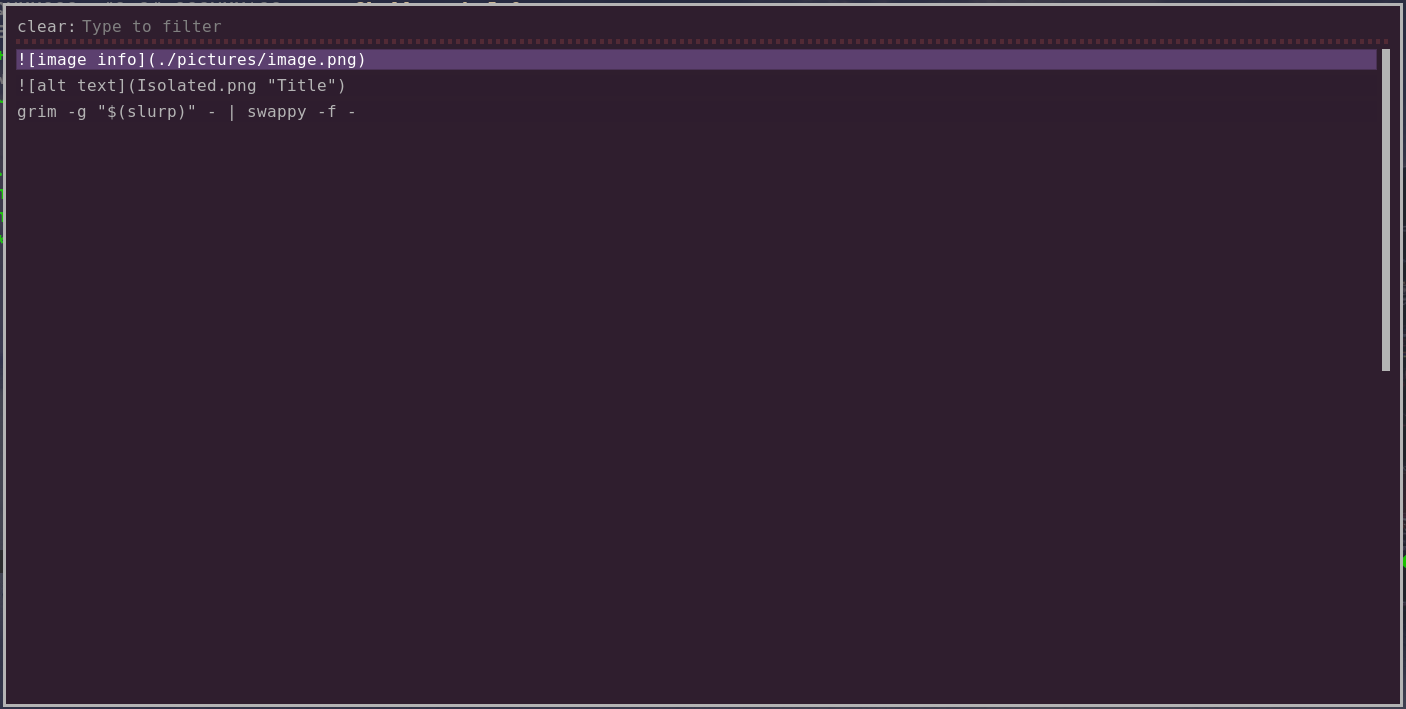
The screenshot below shows the delete window. When you press the enter key, the selected item is deleted from the clipboard and the window is displayed again. This allows you to delete as many items as you need to.
#!/bin/bash

FILE="/home/karmst/.local/share/clipman.json"

ROFI_THEME="fzf_finder.rasi"
ARGS="-config ~/.config/rofi/themes/$ROFI_THEME -dmenu"
LINE_COUNT_1="-l 6"
LINE_COUNT_2="-l 25"

COUNT=$(cat $FILE | jq ".[] | length" | wc -l)
CURRENT=$(cat $FILE | jq ".[($COUNT-1)]")

R_PROMPT="Clip Manager [clip count is $COUNT] "
D_EMPTY="Nothing to see here because the item count is $COUNT"

function list () {
    case "$choice" in
        "$CURRENT")
            cmd=$(clipman restore && wtype -M ctrl -M shift v)
            ;;
        Copy)
            cmd=$(clipman pick -t rofi --tool-args="$ARGS $LINE_COUNT_2" --err-on-no-selection && wtype -M ctrl -M shift c)
            ;;
        Paste)
            cmd=$(clipman pick -t rofi --tool-args="$ARGS $LINE_COUNT_2" --err-on-no-selection && wtype -M ctrl -M shift v)
            ;;
        List)
            cmd=$(clipman pick -t rofi --tool-args="$ARGS $LINE_COUNT_2" --err-on-no-selection)
            ;;
        Delete)
            old=1
            new=0
            while [ $new -lt $old ]
            do
                old=$(cat $FILE | jq ".[] | length" | wc -l)
                cmd=$(clipman clear -t rofi --tool-args="$ARGS $LINE_COUNT_2")
                new=$(cat $FILE | jq ".[] | length" | wc -l)
            done
            ;;
        Wipe)
            cmd=$(clipman clear -a)
            ;;
    esac
}

function display_first () {
    if [[ -f "$FILE" ]]; then
        choice=$(echo -e "$CURRENT\nPaste\nCopy\nList\nDelete\nWipe" | rofi -p "$R_PROMPT" $ARGS $LINE_COUNT_1 -theme-str 'listview { scrollbar: false; }')
        list
    else
        dunstify -t 2500 "$D_EMPTY"
    fi
}

display_first
RET=$?

while [ $RET -eq 1 ]
do
    display_first
    RET=$?
done

exit 0