


Introduction
Regexxer is a graphical search-and-replace tool for Linux (and Unix-like systems) that uses regular expressions (regex) to perform powerful text manipulations across multiple files. It is particularly useful for developers, sysadmins, and anyone who needs to batch-edit text files efficiently.
Main screen
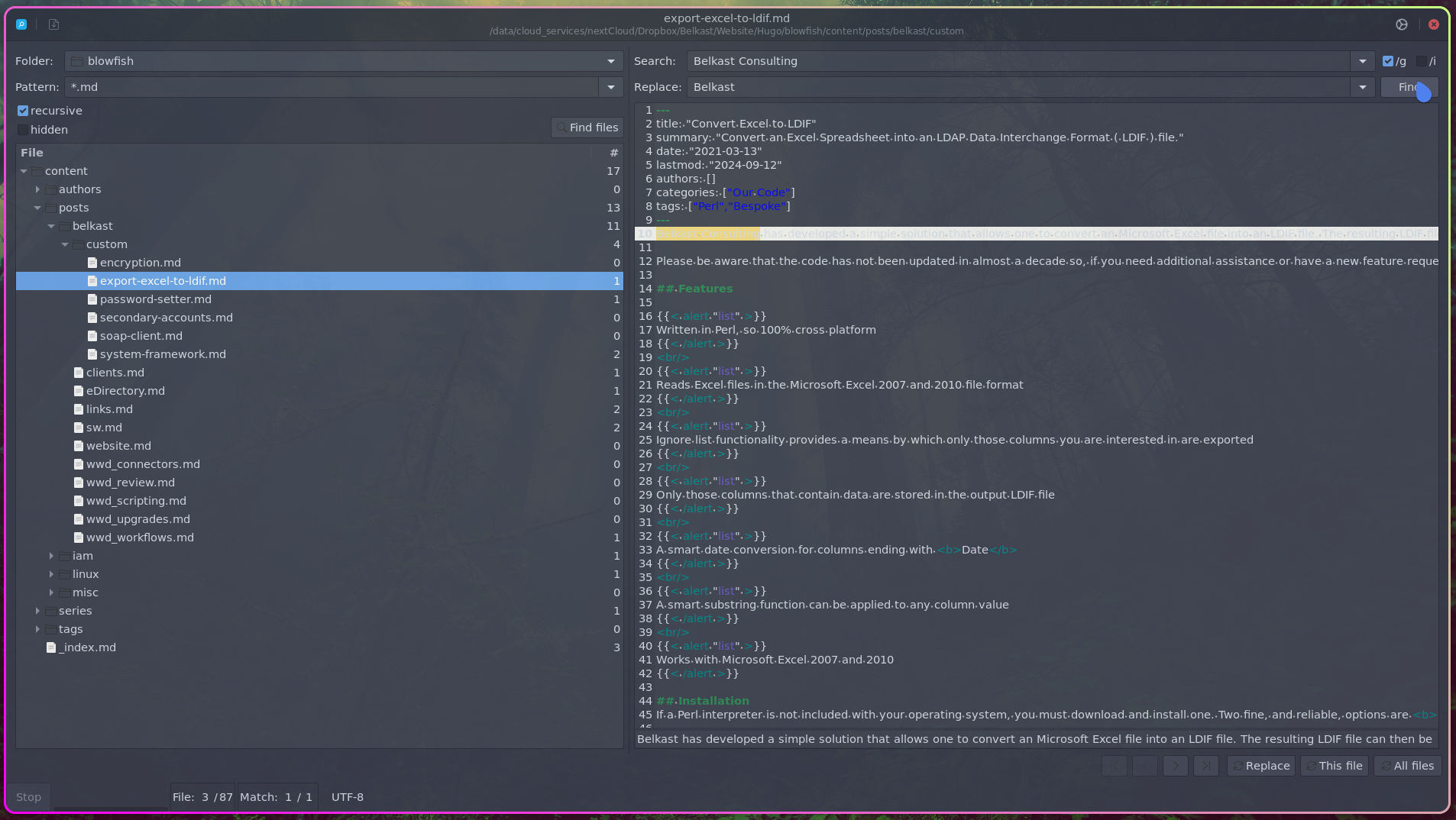
Using the program
In the left pane, specify the folder and the name pattern. Then click Find Files to get a list of the files.
In the right pane, enter the regular expression to search for. Then enter the text you want to replace it with. Finally, click Find.
Accept the changes as you see fit; you’re given the option to replace each occurrence of the text (one at a time) using Replace, all occurrences of the text in the current file using This file, or all occurrences of the text in all files using All files.
Once the changes are finished and accepted, press the save icon in the top left hand corner. Any file that has changed will be saved. The search and replace across multiple files is complete. It’s quick, easy, and extremely useful.
Why use regexxer?
- User-friendly GUI (no need to memorize sed/awk commands).
- Preview changes before applying them.
- Handles complex regex with ease.
- Works across multiple files in a directory.